Browse
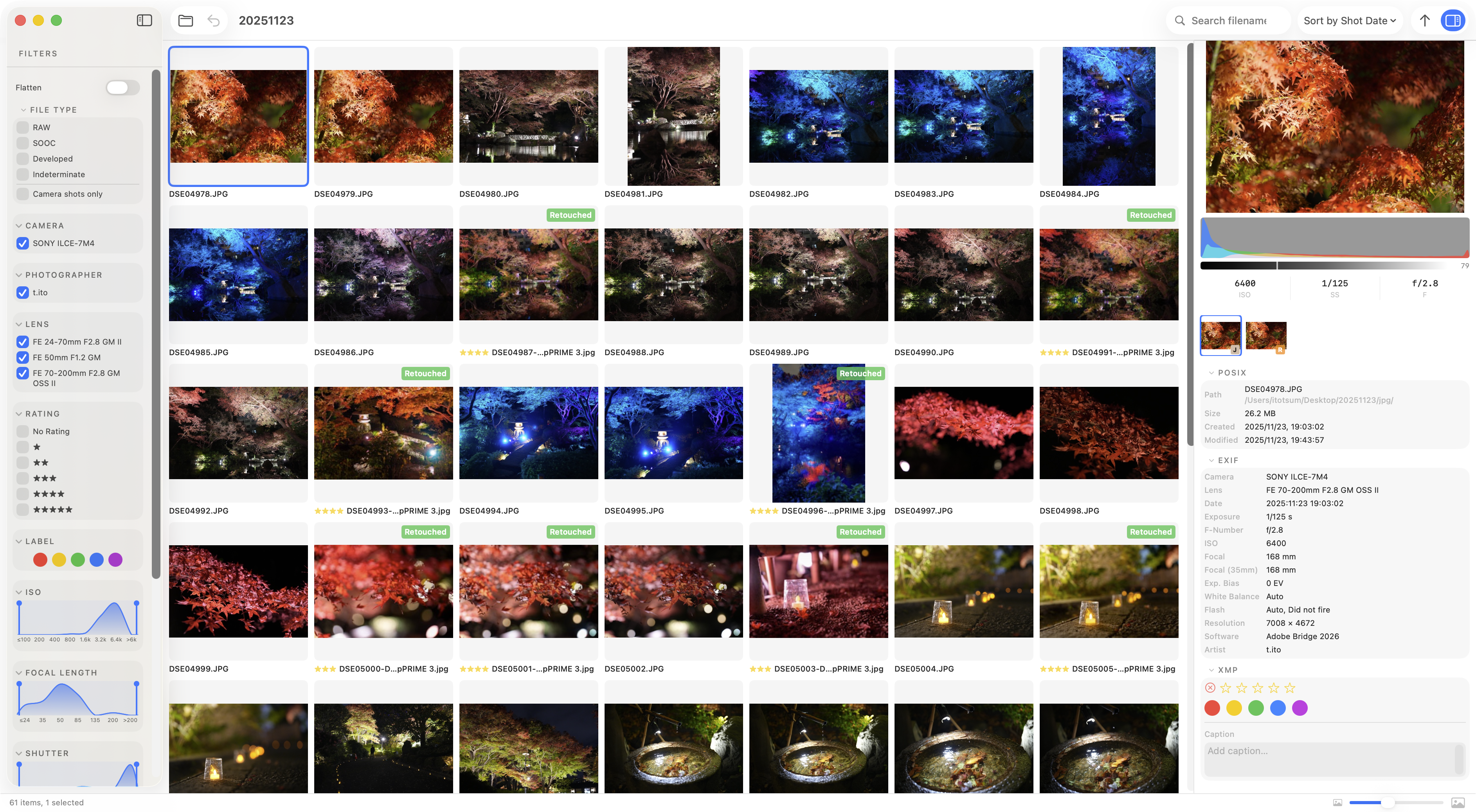
The main working view. All photos in the folder are displayed as a scrollable grid.
Layout
- Left sidebar — Filters (file type, camera, ISO, focal length, date, rating, label, flag)
- Center grid — Thumbnail view
- Metadata bar — Preview, histogram, group members, and metadata (EXIF / XMP) for the selected photo
Controls
| Action | Result |
|---|---|
| Click | Select a photo |
| Double-click | Open compare view |
← / → / ↑ / ↓ | Move to previous / next photo |
Space | Open / close full-res viewer |
| Scroll | Scroll the grid |
Thumbnail badges
Each thumbnail shows a badge indicating its file type.
| Badge | Meaning |
|---|---|
SOOC | Camera output (straight-out-of-camera JPEG) |
RAW | RAW file |
Developed | Developed variant |
Indeterminate | File type could not be determined automatically |
See Labeling for details.
Thumbnail size
Use the slider in the top-right of the grid to adjust thumbnail size.