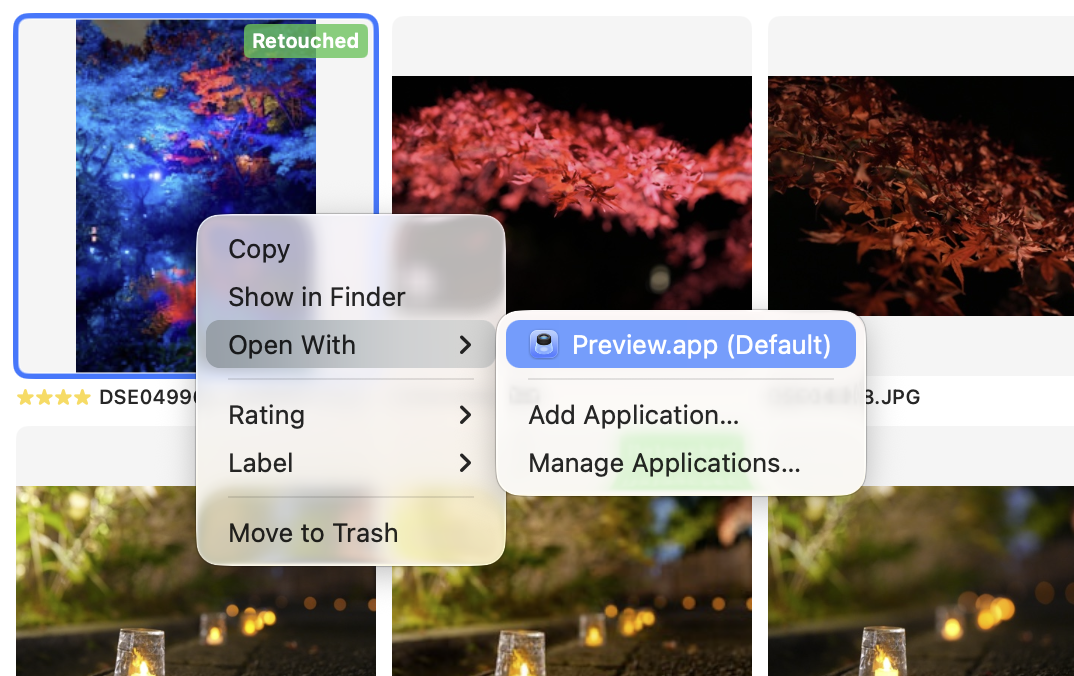
Photo file operations
You can copy, drag and drop, or delete selected photos.
Group scope
When photos are grouped, you can configure the scope of file operations in the Group Scope section of Settings.
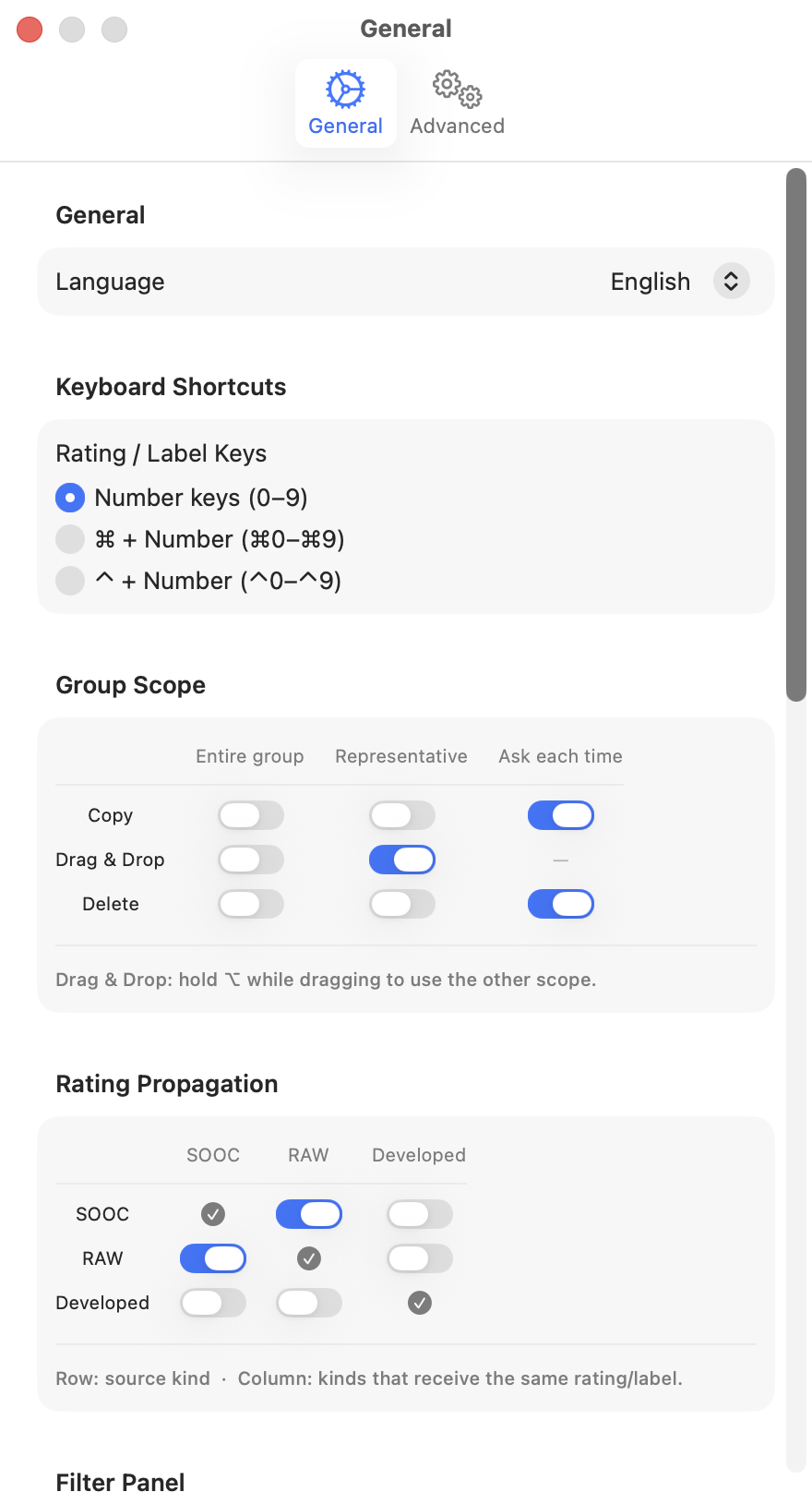
| Operation | Scope options |
|---|---|
| Copy | Entire group / Representative only / Ask each time |
| Drag & Drop | Entire group / Representative only |
| Delete | Entire group / Representative only / Ask each time |
- Entire group: applies the operation to all photos in the group
- Representative only: applies the operation only to the representative shot
- Ask each time: shows a confirmation dialog each time to choose the scope
For Drag & Drop, hold ⌥ while dragging to temporarily switch to the other scope.
Open with application
Right-clicking a photo and choosing Open With lets you open it in a specific application. Even when photos are grouped, only the representative shot is sent to the application.